


Description
What you can do with Autodesk AutoCAD LT
Best-in-class tool for 2D drafting and documentation
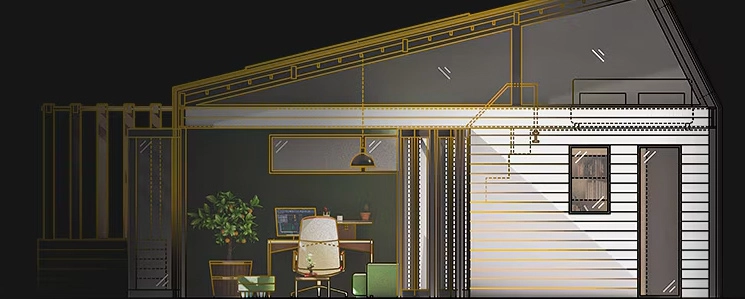
Create DWG™ files with precision using enhanced features to help you focus on the design process—all while staying connected with your peers to collaborate securely.
Trusted innovations designed to keep you working faster
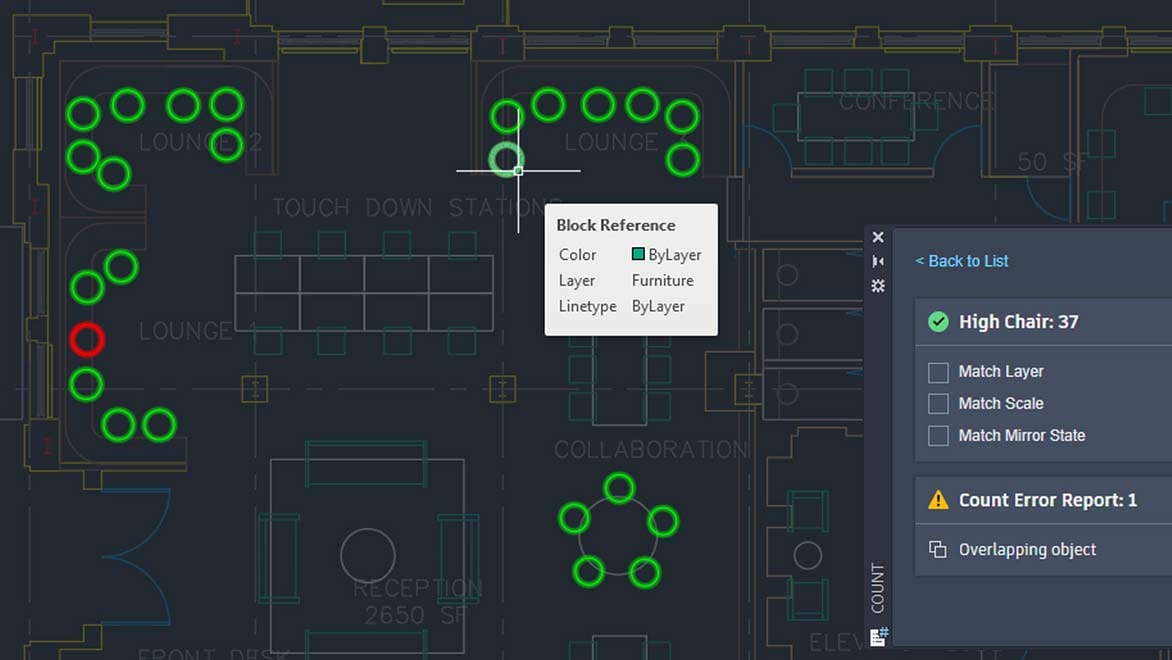
Gather information efficiently with Count, bring uniformity to your drawings with Smart Blocks, access help resources with the built-in Autodesk Assistant, and run automations with AutoLISP.

Stay connected to your designs anywhere, anytime
With AutoCAD LT you can access the AutoCAD experience on desktop, web, or mobile to capture, share, and review ideas on the go.

| AutoLISP
Use AutoLISP in AutoCAD LT to streamline workflows and enforce CAD standards through automation. Push into Autodesk Docs Publish your CAD drawings as PDFs directly from AutoCAD LT to Autodesk Docs. Dynamic mass Add flexibility to your block references, including changes to shape, size, or configuration. Count Automatically count the blocks or objects in your drawing. |
Details about the activity
Access and monitor historical version data using detailed multi-user event logs and comparison tools. AutoCAD anytime, anywhere Capture, share, and review ideas on the go with AutoCAD 2D and 3D DWG files on desktop, web, and mobile devices. Color block palette View, access, and mark up your blocks—a favorite feature—from AutoCAD LT on your desktop or in AutoCAD on the web. Advanced DWG Comparison Compare two versions of a drawing without leaving your current window. |
Autodesk Assistant
Access helpful support and solutions related to AutoCAD features and your design challenges. Cloud storage connection Access, preview, and open DWG files in AutoCAD LT with Autodesk Docs and third-party cloud storage. Traces Review and safely add feedback directly to the DWG file without changing the existing drawing. Share Send a certified copy of your drawing to teammates and colleagues so they can access it anywhere. |
New and enhanced features of AutoCAD LT 2026
Essential and reliable features for 2D design and documentation help you save time and work more efficiently.
| Support files are connected (New) | Now, CAD managers can define a set of supporting files and project-aware settings for an Autodesk Docs project, enabling teams to view and edit DWG files using the desired supporting files without the need for additional steps to configure each user or install AutoCAD LT. |
| Smart Blocks: Search and Transform i (Advanced) | With the help of Autodesk AI, you can quickly search for matching objects, text, and transform text within a drawing to convert them into versions of newly defined blocks, existing blocks, or recently used blocks. |
| Mark up multiple users for AutoCAD on the web (Early Access) | Streamline collaboration on Autodesk Docs projects with Multi-User Markup. Gather and share live feedback on drawings using intuitive Autodesk Docs markup tools—now available in early access with AutoCAD on the web. Create markup links to provide concurrent access to designs without copying or locking files. |
Advanced features
| Details about the activity | Access and monitor version history data in detailed multi-user event logs using file comparison tools—supported for files stored on third-party cloud storage. |
| ArcGIS® Base Map | Build your site plan with real-world geographic information using ArcGIS® Basemaps. Access five basemaps in high-resolution satellite and aerial imagery, OpenStreetMaps and Streets, along with light gray and dark gray monochrome map styles. |
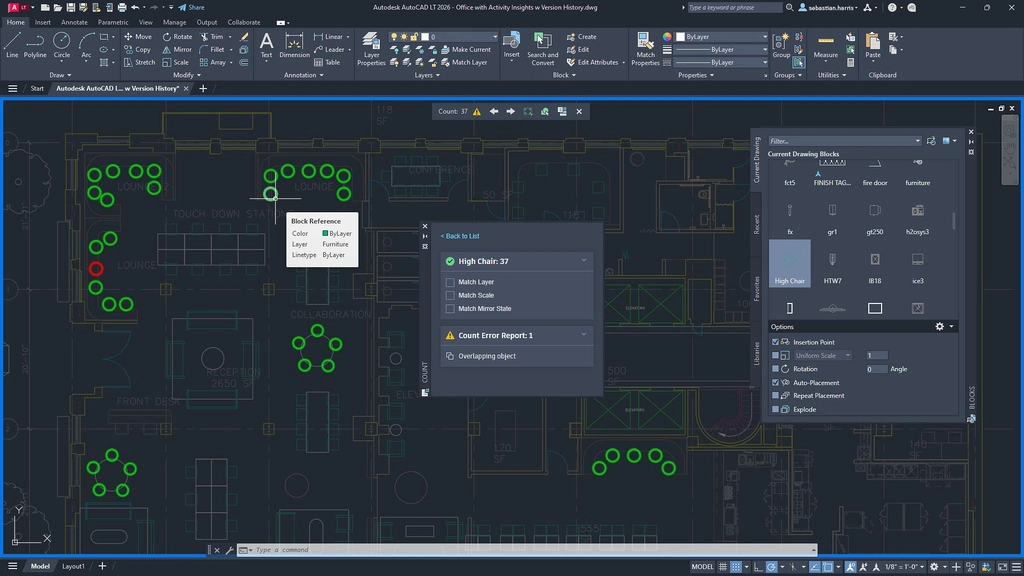
| Count | Automatically count the number of blocks or objects in a selected area or the entire drawing. Navigate, filter, and review based on attributes, and create fields and tables to display quantities on the drawing. |
| Floating windows | Drag drawing windows to display them side-by-side or across multiple screens, within the same AutoCAD LT version. |
| Hatch | Enhance your design with convenient updates to the familiar HATCH command. Add textures to your drawings via patterns, fills, and paths—without needing predefined shapes or closed borders. |
| Trace | Add design change notes and markup without changing existing drawings from AutoCAD LT on your desktop, as well as on the web and mobile apps. |
| Sheet Set Manager | Opening spreadsheets is faster than ever. Using the Autodesk cloud platform, sending and opening spreadsheets to and from teammates is quicker and more secure. |
Extended workflow
| Save to web and mobile devices | Save drawings from your desktop computer to view and edit on the AutoCAD web and mobile apps, including xrefs. |
| Shared viewpoint | Upload your design drawings to a web browser for viewing and commenting. Learn more. |
| Compare Xrefs | View the changes made to your current drawing from the modified external references. |
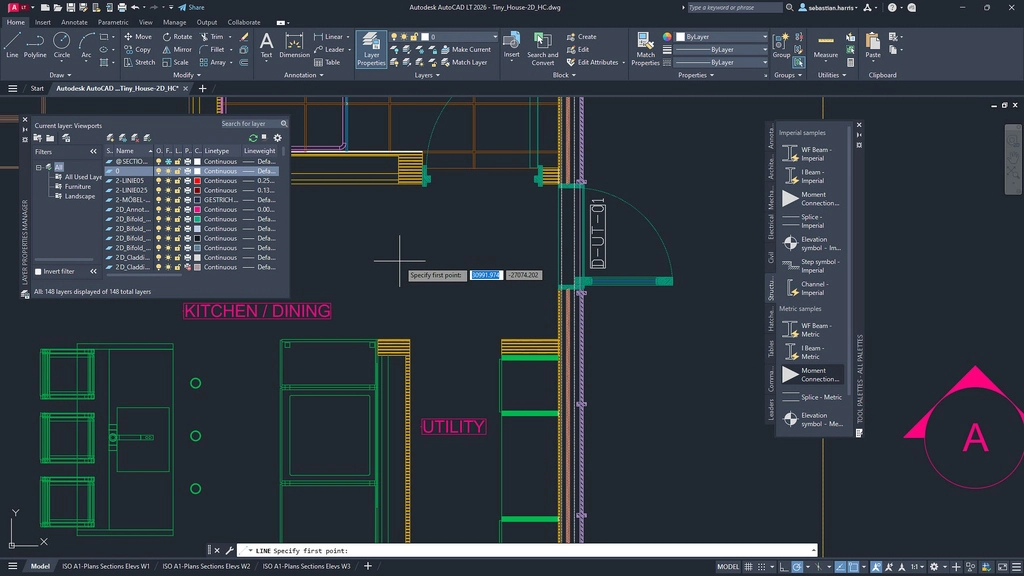
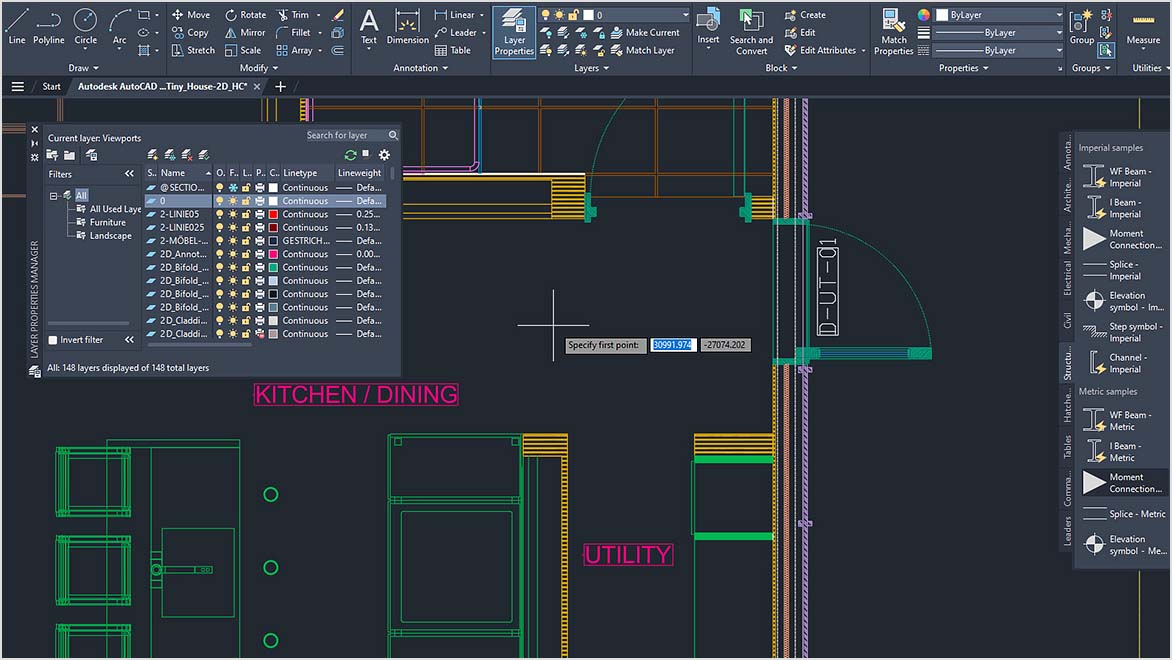
| Comprehensive 2D documentation | Create 2D documents and drawings using a comprehensive set of drawing, editing, and annotation tools. |
| Intuitive user interface | Access the tools when you need them—contextual ribbon tabs, multi-function handles, customizable tool panels, and intelligent command lines. |
| Advanced technology | Get the latest technologies, including TrustedDWG, high-resolution display support, movement tools, and AutoCAD applications on your computer. |
User interaction
| Start tab | The AutoCAD LT Start tab allows you to easily access useful files and other content directly from the home screen. |
| Ribbon tabs and panels | Access your favorite tools easily when needed with the AutoCAD LT ribbon. |
| Toolbar | Easily access the content and tools you use most often with the customizable toolbar. |
| Command line | Launch commands and respond to prompts quickly using simple keyboard shortcuts, right from the command line. |
| Multipurpose handle | Easily reshape, move, or manipulate geometry by adjusting the grip. |
| Object and layer transparency | Control the transparency of selected objects or of all objects on a layer. |
| Combined array | Create and modify objects using circular or rectangular patterns, or along a path. |
| Select and isolate the target. | Find and select all objects that match the properties of that object. Hide or show the selected objects. |
2D drafting, drawing, and annotation.
| Text formatting | Create single-line or multi-line text (mtext) as a single text object. Format text, columns, and boundaries. |
| Smart measurement | Automatically generate dimensions. Move the cursor over the selected objects to preview them before generating. |
| Leaders | Create leaderboards with various content types, including text or blocks. Easily format leaderboards and define styles. |
| Smart centerline and center mark | Create and edit center lines and center markers that automatically move as you move related objects. |
| Board | Create a table with data and symbols arranged in rows and columns, apply formulas, and link it to a Microsoft Excel spreadsheet. |
| Modification cloud | Draw revision clouds around new changes in the drawing to quickly identify your updates. |
| Layout | Specify the dimensions of your drawing, add a title block, and display multiple views of your model. |
| Layout view | Create layout views to display different elements in your design at various scales. |
| The fields | Using fields within a text object allows you to display text that can be automatically updated when the field values change. |
| Data link | Enable simultaneous updates by creating a direct link between the Microsoft Excel spreadsheet and the table in your drawing. |
Collaboration features
| Import/export/background layers for PDF and DGN | Share and reuse data from PDF and DGN files by importing, exporting, or attaching them as background layers. |
| DWG reference document and images | Attach drawings and images to your existing drawing as external reference files. |
| Geographic location and online map | Insert geographic location information into the drawing and display the map within the drawing using an online mapping service. |
Settings and customization features
| AutoLISP | Use AutoLISP in AutoCAD LT to streamline workflows and apply CAD standards through automation. Supports LSP, FAS, and VLX file types. |
| TrustedDWG technology | TrustedDWG technology lets you know of potential incompatibilities when a file was not last saved by an Autodesk software product. |
| Movement tools | Migrate settings and custom files from previous releases. |
| Customize CUI | Customize the user interface to improve accessibility and reduce the number of steps for frequently performed tasks. |
| Sysvar screen | Monitor current system variables against a prioritized list of values. Notification bubbles will alert you to any deviations. |
| Autodesk Access | Receive notifications and install software updates without disrupting your workflow. View guides on new features. |
AutoCAD LT 2026 compared to previous versions
AutoCAD LT has a flexible subscription model, offering new features with each release. If you have a perpetual license for AutoCAD LT 2016 or earlier, here are the changes in AutoCAD LT 2017, AutoCAD LT 2018, AutoCAD LT 2019, AutoCAD LT 2020, AutoCAD LT 2021, AutoCAD LT 2022, AutoCAD LT 2023, AutoCAD LT 2024, and AutoCAD LT 2025.
| What does it include? |
|
| Top new features added since 2016 include: |
|
| Improvements since 2016 |
|
| Software support and access |
*Not applicable to customers with a maintenance package. **As with all performance tests, results may vary depending on factors such as user experience, machine, operating system, network configuration, filters, and source documentation. While we strive to ensure the fairest and most objective tests possible, your results may differ. Product information and specifications are subject to change without notice. Autodesk provides this information “as is,” without any warranties, express or implied. © 2025 Autodesk, Inc. All rights reserved.** †For customers with a maintenance package including Advanced Support. |
Comparison table of AutoCAD 2026 and AutoCAD LT 2026
| Auto CAD LT 2026 | AutoCAD 2026 | |
| Overview | ||
| 2D CAD software is a cost-effective way to create, draw, and document designs. | 2D and 3D CAD software. Subscription includes AutoCAD, specialized toolsets, and applications. | |
| Document | ||
| 2D Production Drawing | x | x |
| Geometric dimensions and tolerance standards (GD+T) | x | x |
| Print multiple batches of product drawings. | x | x |
| Batch printing of drawings | x | x |
| Converting drawings in batch to PDF in AutoCAD on the web | x | |
| Compare Xrefs | x | x |
| Smart annotation tool | x | x |
| Identifying and complying with CAD standards. | x | |
| Compatible with 3D printing. | x | |
| Architectural drafting standards | x | |
| Data management | ||
| Administration tools | x | x |
| User management | x | x |
| Export file | x | x |
| Version control | x | x |
| Working with non-native data | x | x |
| Create a reusable block library. | x | x |
| AnyCAD | x | |
| 2D + 3D modeling, design + rendering | ||
| Detailed concept drawing | x | |
| Rotate/move 3D graphics | x | |
| Advanced Geometry View | x | |
| Edit scans using raster and vector tools. | x | |
| Shape forming machine | x | |
| Sketch | x | |
| Assembly model | x | |
| Mechanical concepts and layout design | x | |
| Grid model | x | |
| Surface modeling | x | |
| Parametric model | x | |
| Pipe and duct design | x | |
| Direct model | x | |
| Generator and computer components | x | |
| Collaboration | ||
| Unlimited access | x | x |
| Collaborative shared view | x | x |
| User management | x | x |
| Global sharing | x | x |
| Comment + red line | x | x |
| Share public/private design | x | x |
| Group participants | x | x |
| Import and export of models | x | x |
| Import and export of goods | x | x |
| Import and export drawings | x | x |
| Import and convert PDFs | x | x |
| Attach, edit, and display the point cloud. | x | |
| API and automation | ||
| Machine Learning and AI | x | |
| Industry-specific object library | x | |
| AutoLISP programming and automation | x | x |
| ActiveX/COM Automation | x | x |
| ObjectARX and managed .NET libraries | x | |
| Visual LISP Integrated Development Environment (IDE) for AutoLISP | x | |
| Visual Basic applications | x | |
| AutoLISP API for AutoCAD on the web | x | |
| Production methods and limitations | x | |
| Create custom keyboard shortcut aliases | x | x |
| Record repeated keystroke sequences. | x | |
| Macro | x | |
| Access the Autodesk App Store. | x | |
| User interface | ||
| Customize the menu and ribbon interface. | x | x |
| Ribbon is content-sensitive. | x | x |
| Engaged user experience | x | x |
| Block Library | x | x |
| Edit and print logic drawing sets. | x | x |
| Import, edit, and create CAD blocks. | x | x |
| Quickly access recent or favorite blocks | x | x |
| Toolkit | ||
| Mechanical tool kit | x | |
| Architectural Toolkit | x | |
| 3D Map Toolkit | x | |
| MEP Toolkit | x | |
| Plant 3D Toolkit | x | |
| Power tool kit | x | |
| Raster design toolkit | x | |
| Mechanical design | ||
| Designing parts, assemblies, and products. | x | x |
| Smart tool pallet | x | x |
| Import external CAD geometry | x | x |
| Automatic part updates | x | |
| Assign parameter constraints to parts | x | |
| Material properties and mass properties | x | |
| Automatically generate a materials list. | x | |
| Over 700,000 smart manufacturing parts | x | |
| Electrical & PCB Design | ||
| Create control panel layouts and circuit diagrams. | x | x |
| Diagram of the photograph | x | |
| Use consistent project standards. | x | |
| Project-based organizational structure | x | |
| Check for errors in the circuit diagram. | x | |
| Over 65,000 smart electrical symbols | x | |
| Model management | ||
| BIM interoperability | x | x |
| Assign objects to classes using colors. | x | x |
| TrustedDWG™ file authentication | x | x |
| Integrating collaborative BIM models | x | |
| Model-based definition | x | |
| Cloud and Mobility | ||
| Remote access, viewing, or editing | x | x |
| Publish, share, and collaborate online. | x | x |
| Works with popular cloud services. | x | x |
| Web application | x | x |
| Mobile application | x | x |
| Annotate dwg files in airplane mode. | x | x |
| Support and stability | ||
| Automatic updates and notifications | x | x |
| Easy to install service packs/updates | x | x |
| Enjoy certified hardware support. | x | x |
| Dedicated phone support is available. | x | x |
| A large user community | x | x |
| Guidance, instruction and training center | x | x |
| Access releases from previous years | x | x |
| Customize settings for your company. | x | |


Reviews
There are no reviews yet.